Health Tracker System (HTSi) Mobile App
Android • IOS • Redesign • User Interface • Flowchart • Testing
Process

Overview
Elanco Health Tracking System (HTSi) is a comprehensive database integrating more than 20 years of data and more than 600,000 individual bird post-mortem analyses. Elanco wanted to build a product that is a mobile app for their end customers to capture the Flock details and then create a posting session. Once the posting sessions are completed, customers will receive a basic summary reports for the data entered by them.
My Contribution
As this was an existing app the first step was to analyze the flow and overall aesthetic appeal of the app. After that my job was to simplify the process as much as possible and make it intuitive for the users, as well as improve the visual appeal of the entire app. The most important part of the project was designing the onboarding flow that ensures a smooth experience for the user.
Role: UI/UX, Visual Designer
Timeline: Five months
Tools: Adobe XD, Adobe Photoshop, UsabilityHub
Goals
- Create customer facing mobile application in both the platforms iOS and Android
- Provide efficient and intuitive user experience, turning Display Now into desirable solution for many businesses.
Problem Statement
Users need an easy-to-use, intuitive mobile app that will help customers to add information related to postings efficiently and get an instant report once the posting is done.
Revising the flow
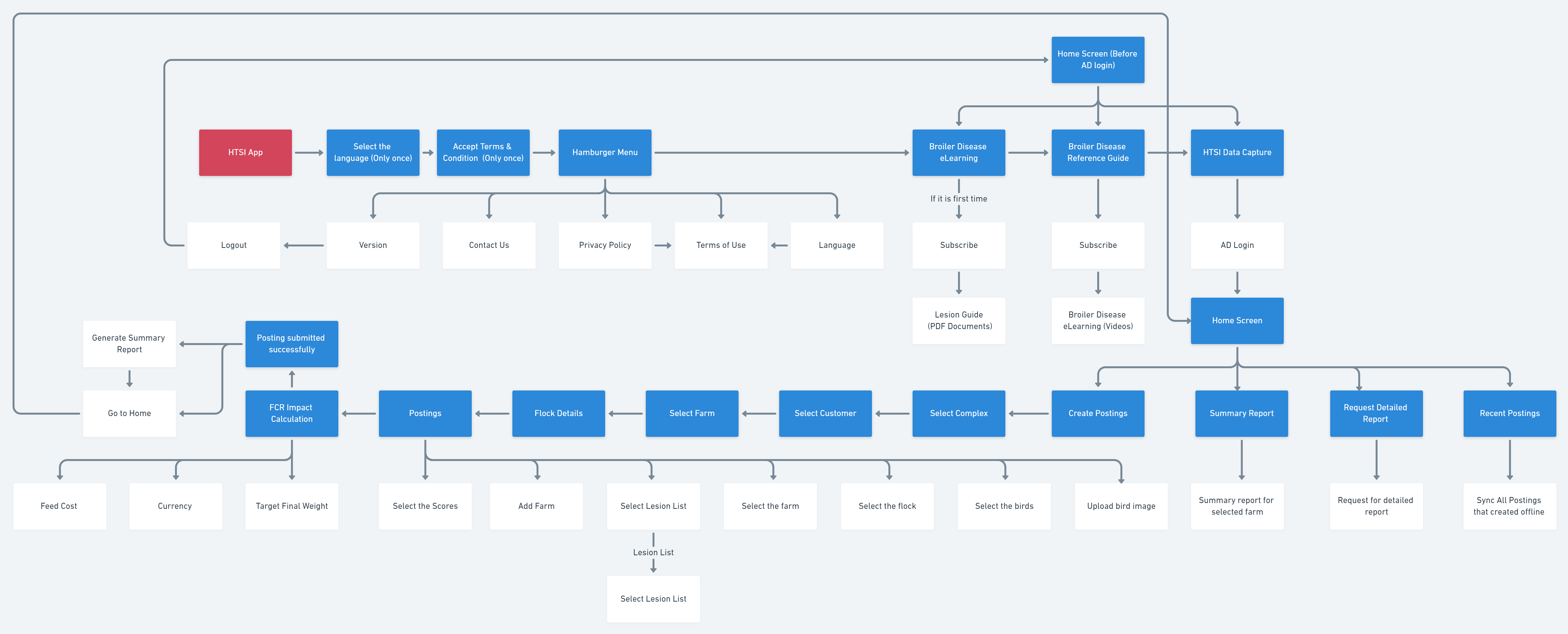
One of the first steps was to look at the current way the app was structured to make sure there aren't any problems in the flow. Since this was an existing app there wasn't too much room for change but we did decide to add an onboarding flow and reflect the same functionalities from web app to mobile app was little difficult job.
Client Feedback
"Great Going Team! The effort you put and dedication you have shown has exceeded all expectations. Thank you and keep up with the good work. @Karthik Handral Kudos to your UX skills and efforts in multiple revisions."
Defining the flow
App testing with digital Hi-Fi
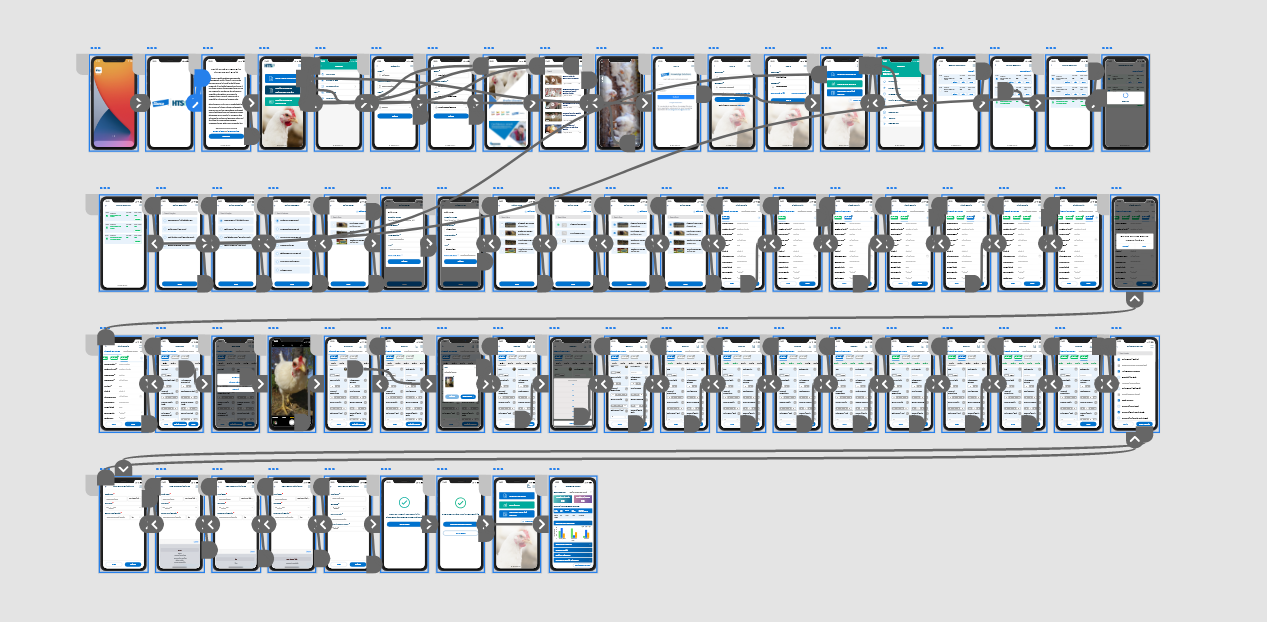
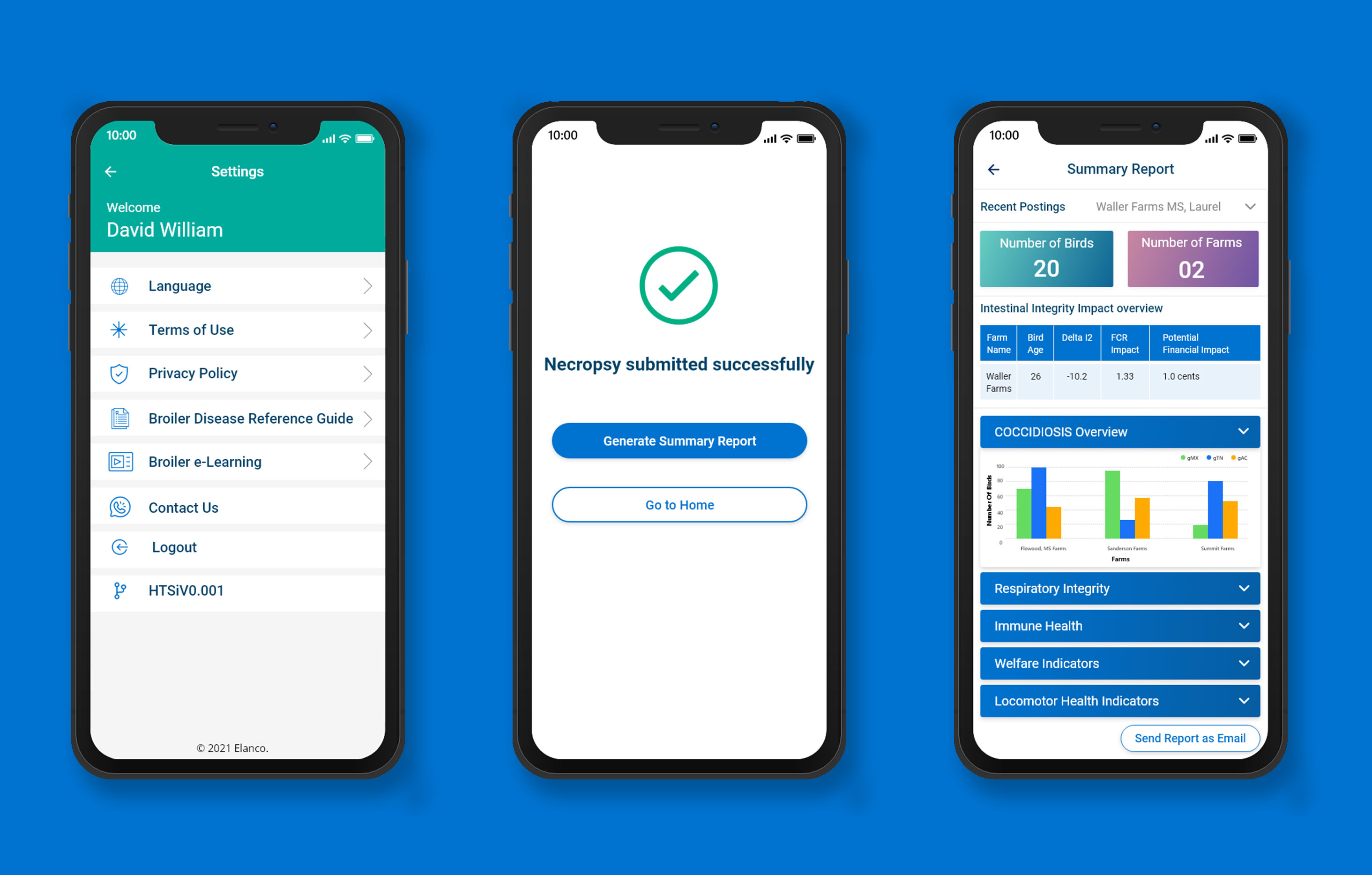
After so many iterations, finally designed all the screens as per the customer requirements. Created Hi-Fi prototype with interaction details like animations & the flow. Tested the same with end-user. Found out a few areas where the user was not able to complete the task that we had given. The reason was more data showing on a small screen which made the user confused. Worked on user pain points and redesigned the screens and tested. The user was able to successfully complete the given task.
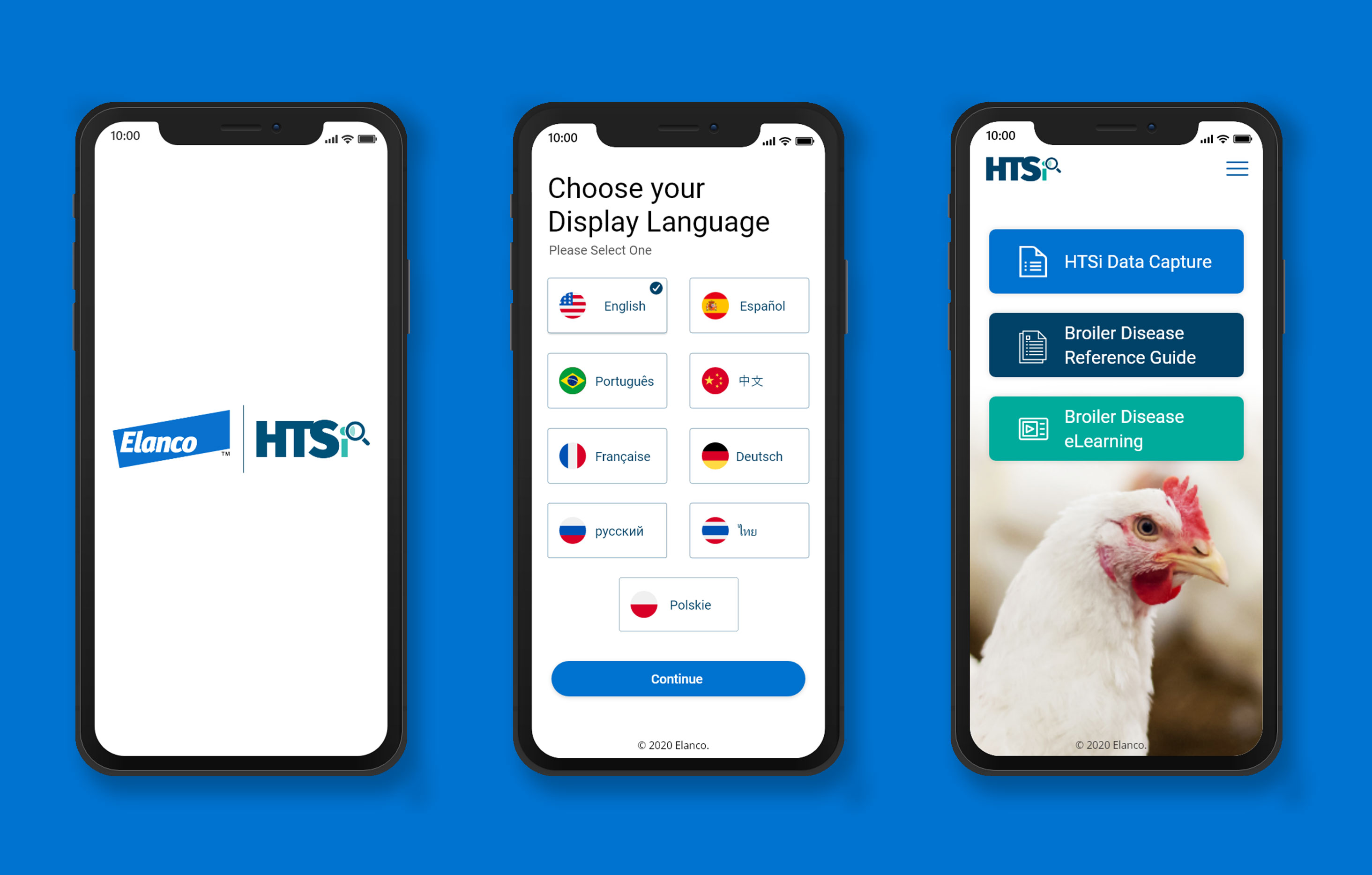
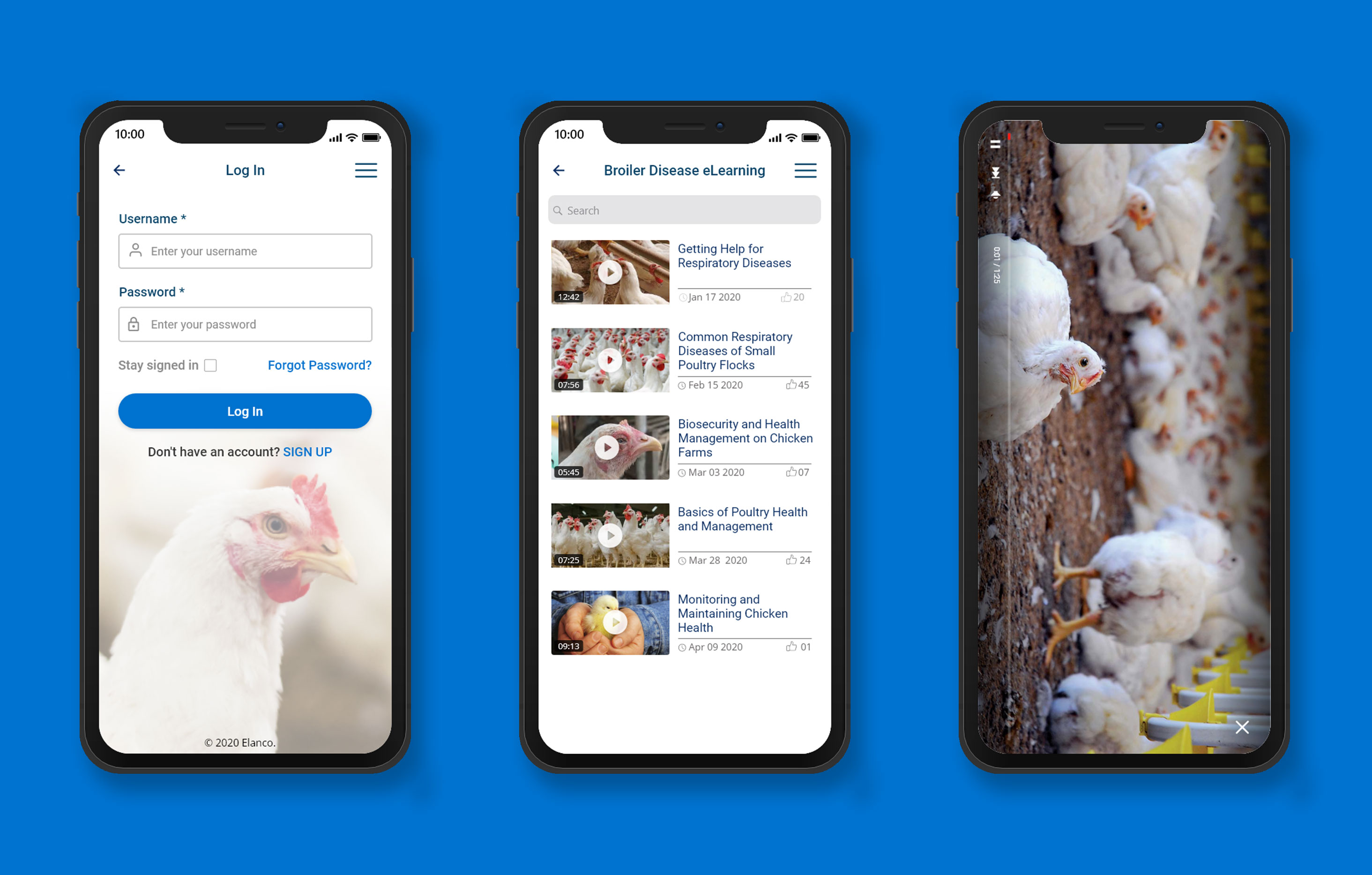
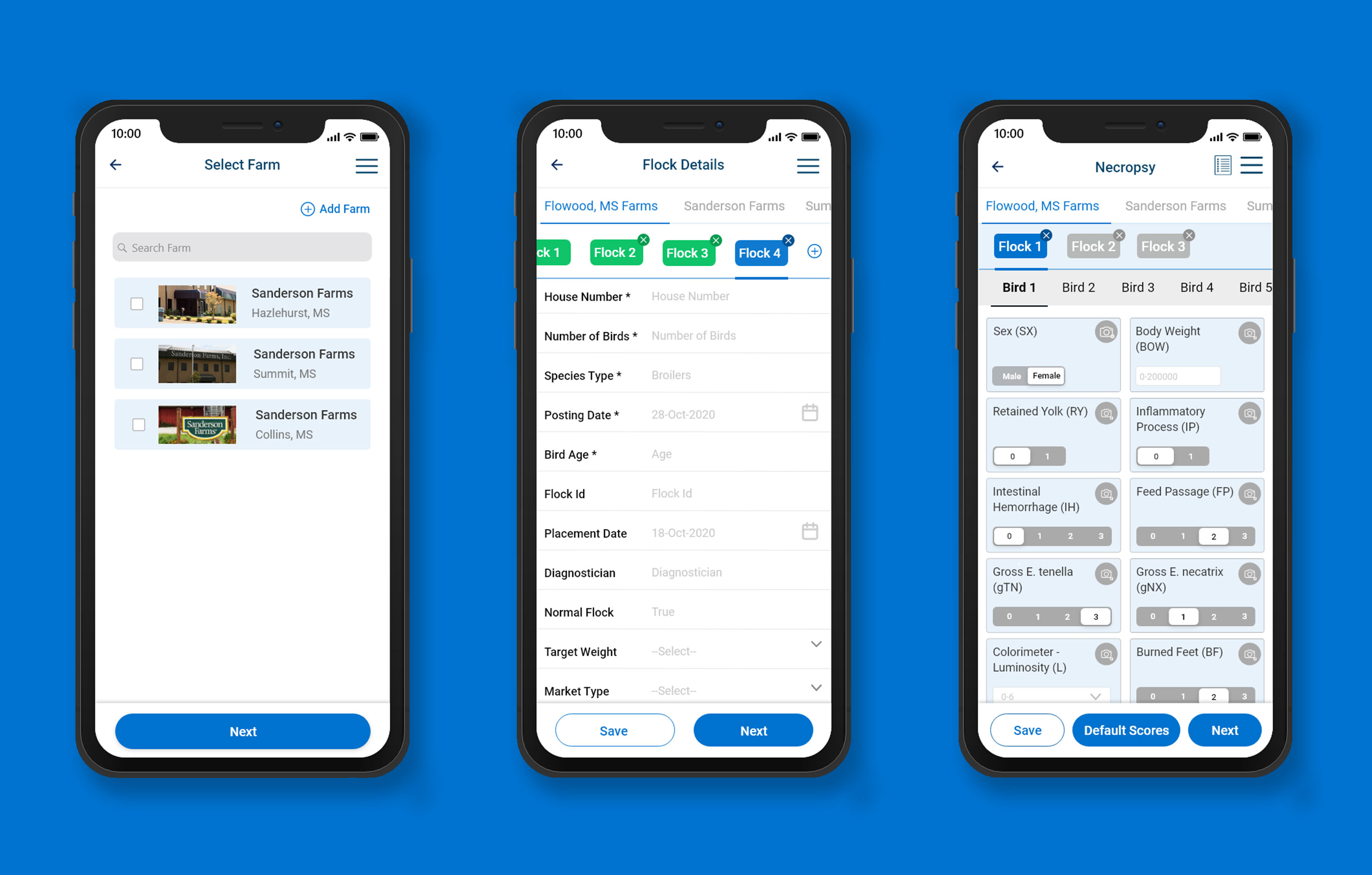
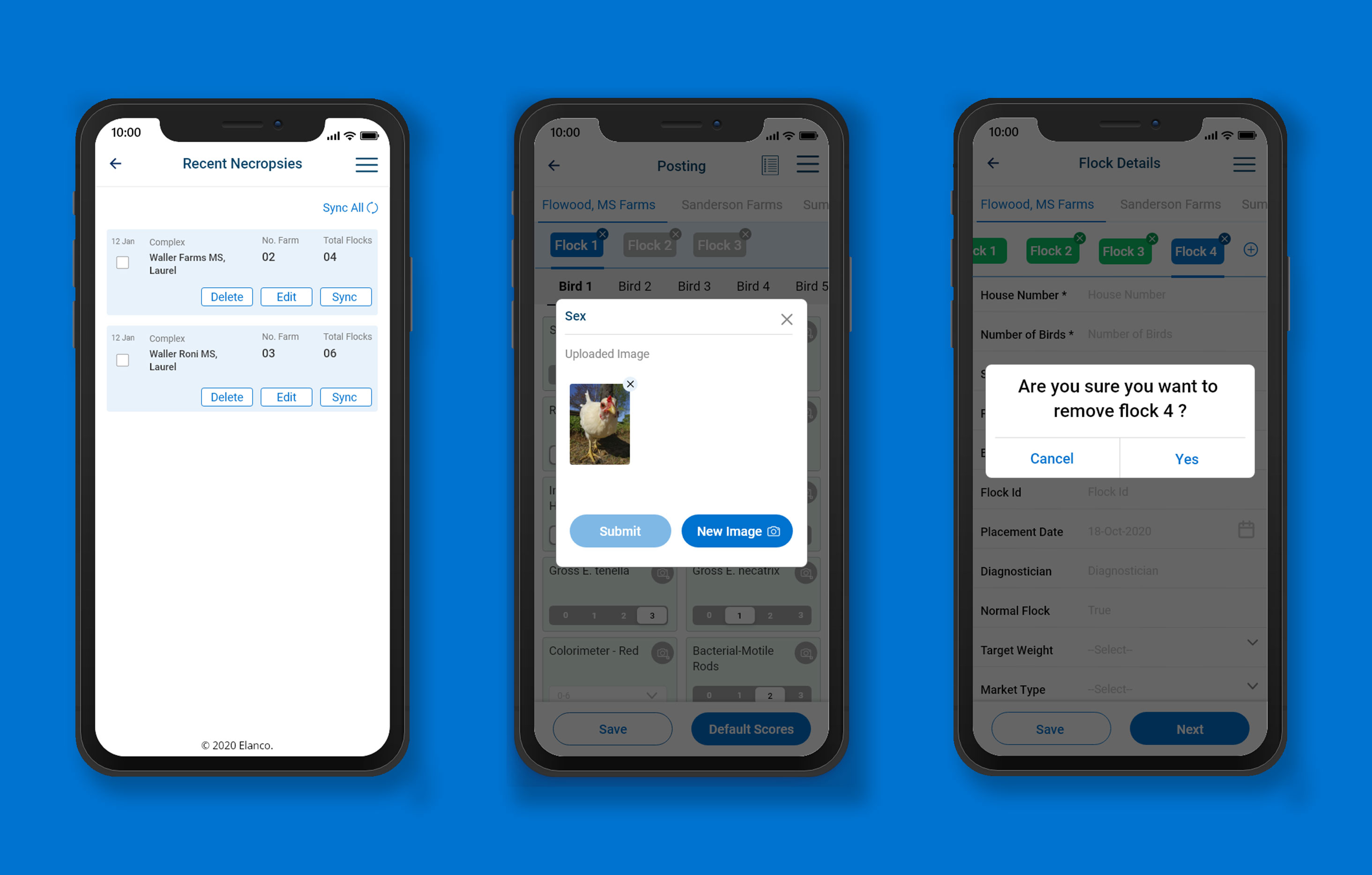
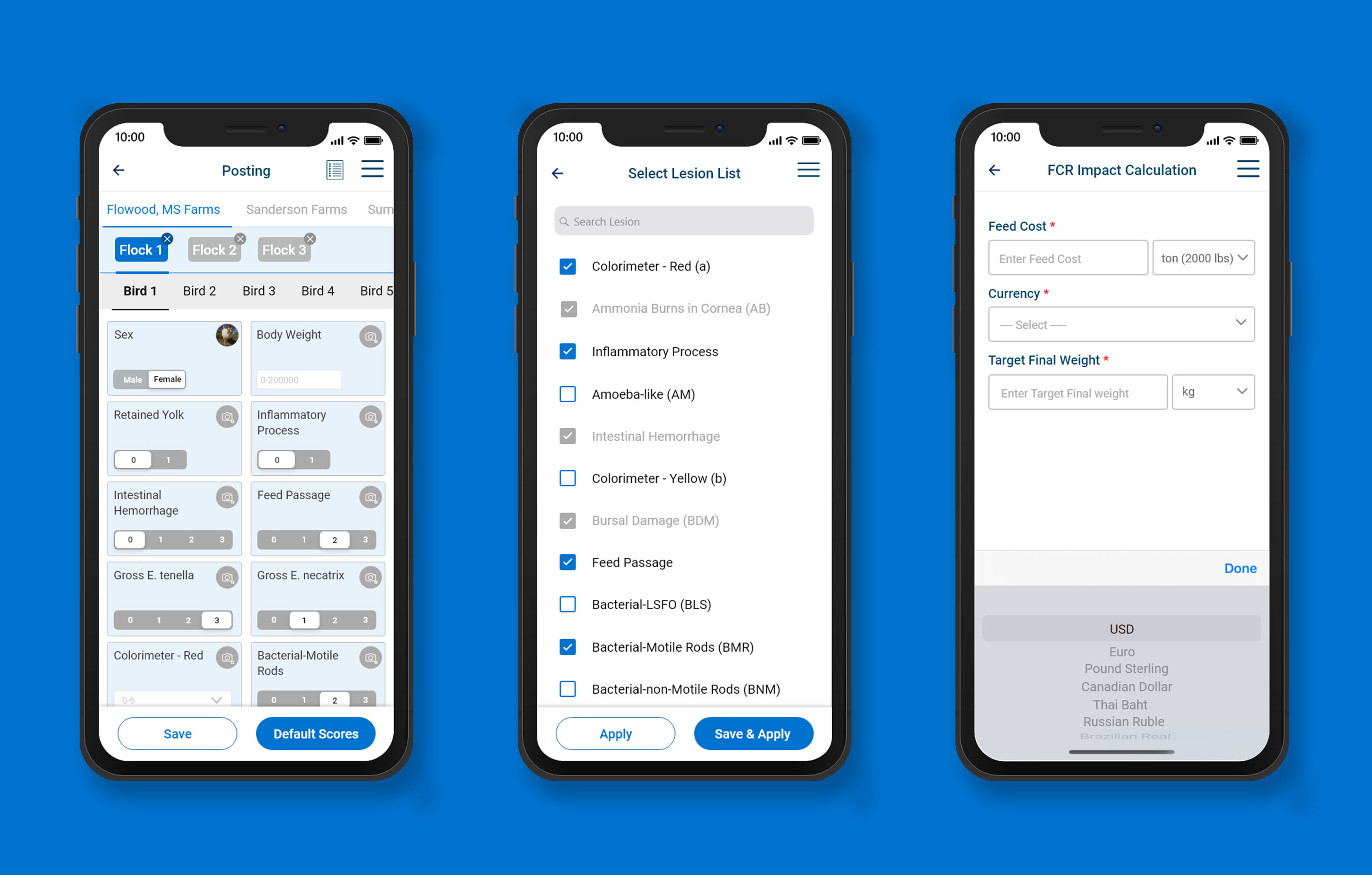
Final UI
After we defined the flow and thus what screens we needed I proceeded with creating the wireframes to explore the experience in more detail on a screen-by-screen level. The main focus was the trip planning flow which sits at the heart of the app.
Scroll right 👉
Get in touch
Connect with me on linkedin or email me at karthikhandral33@gmail.com